Using Shelf
Notifications
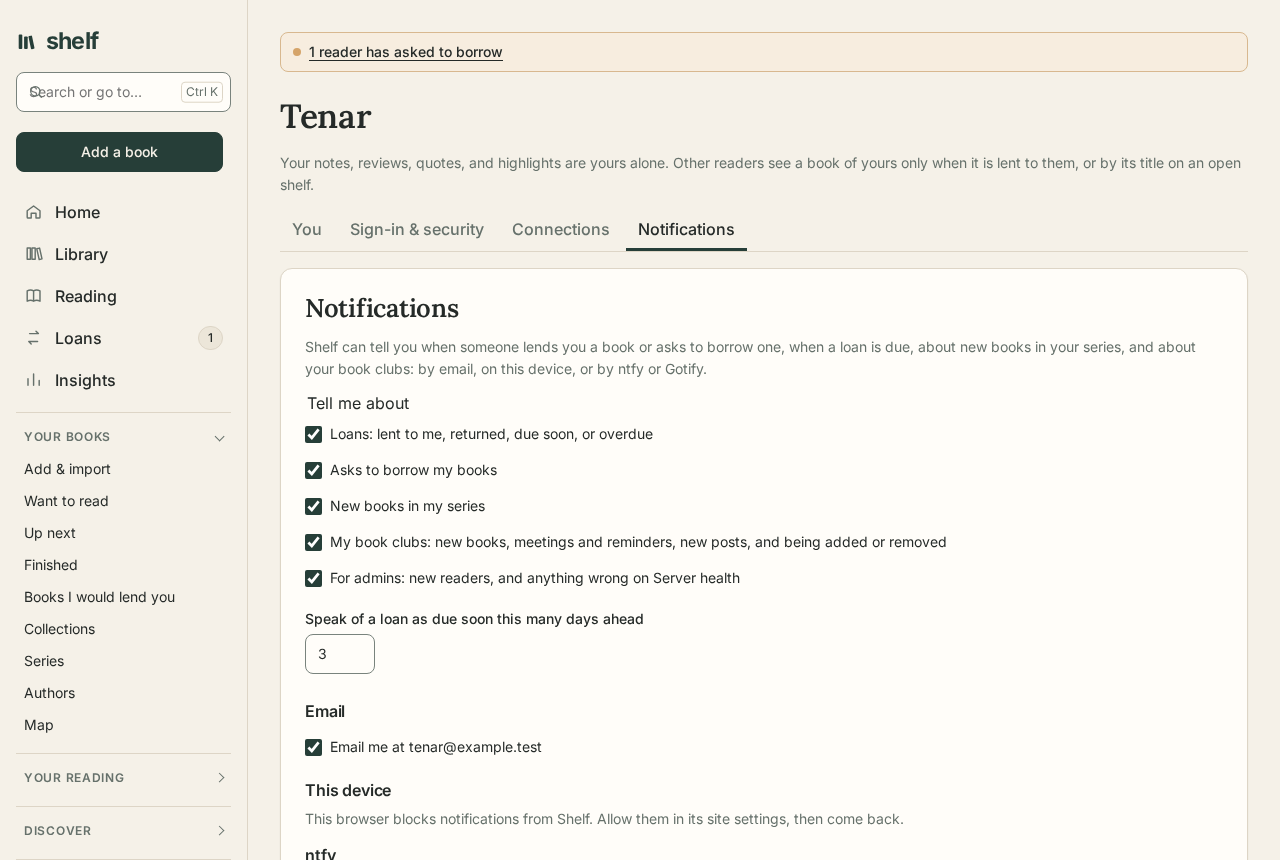
Shelf can tell you when something needs you, without waiting for you to open it. Set it up under Account, in Notifications.
What you hear about
Tick the kinds you want:
- Loans: someone lends you a book, a borrower returns one of yours, and once a day, any loan due within three days or overdue.
- Asks to borrow one of your books, as soon as they're made, and an ask of yours the owner turns down.
- New books in your series, when the daily look finds some (with series alerts on, under Series).
- Your book clubs: the next book the club reads, a meeting arranged or called off, a reminder a day and an hour before each meeting, new posts in the discussion, being added to or taken out of a club, and a club ending.
- For admins: a new reader signing up, and anything going wrong on Server health, such as a failed backup or an email that would not go, each told once.
A notification opens the page it's about: Loans, the book, Series, or the club.
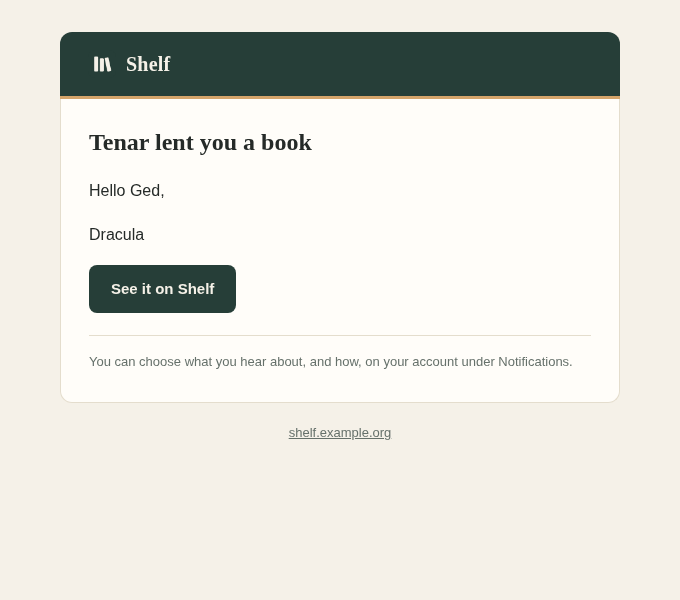
By email
When the shelf has email set up, notifications go to the address you sign in with, without anything to set up: Email me at … under Notifications is ticked from the start, and unticking it stops them. The kinds you chose above apply to email as to every other way. New books in your series come as one email listing them all.
It is on for every reader, those whose accounts came before it included, and goes to the address they sign in with; an address given earlier for reminders became that address.
On this device
Notify me on this device asks the browser's permission, then shows Shelf's notifications like any app's, even with Shelf closed. Do it on each device you want them on; the list below shows them all, and Remove stops one.
- Android, Windows, macOS, and Linux: works in Chrome, Edge, Firefox, and Safari on a Mac.
- iPhone and iPad: add Shelf to the home screen first (Share, then Add to Home Screen), open it from there, and turn notifications on in that app. Safari tabs can't show them.
Messages go through your browser's own push service (Google's, Mozilla's, Apple's, or Microsoft's), sealed so only your browser can read them.
ntfy
ntfy sends notifications to its phone app and desktop. Install the app, subscribe to a topic, and give Shelf the topic's whole address, such as https://ntfy.sh/a-name-nobody-would-guess. On ntfy.sh anyone who knows a topic's name can read it, so make it hard to guess, or use your own ntfy server with an access token.
Gotify
For a Gotify server of your own, make an application on it, and give Shelf the server's address and the application's token.
Send a test notification sends one by every way you set up, to check.
For admins
Notifications to browsers are signed with a key Shelf makes the first time it starts, kept beside the keys that seal sign-ins. A restore that brings those keys back keeps every device subscribed. Settings are under Configuration.
Webhooks
A webhook posts to an address of yours when something happens: for Home Assistant, n8n, Node-RED, a Discord or Slack channel, or a script. Add one under Account, in Webhooks, with its address, the form to send, and the events you want. Each reader's webhooks hear only about their own books, loans, clubs, and series.
| Event | When |
|---|---|
book.added |
You add a book. |
book.started, book.finished |
A book of yours becomes Reading, or Finished. |
book.lent, book.returned |
You lend a book, or are lent one; it comes back. |
loan.asked |
Someone asks to borrow a book of yours. |
club.posted, club.joined |
A post in one of your clubs; someone is added to one. |
series.found |
New books in your series, with how many. |
book.reread |
You begin a finished book again. |
club.meeting |
A meeting is arranged in one of your clubs, with its book and time. |
Discord and Slack, Mattermost send the event as a sentence, in your language. JSON, signed sends this:
{
  "event": "book.finished",
  "at": "2026-10-11T18:20:00+00:00",
  "actor": { "id": 1, "name": "Tenar" },
  "book": { "id": 42, "title": "Piranesi", "author": "Susanna Clarke", "status": "finished", "isbn": "9781635575996", "url": "https://shelf.example.org/library/42" },
  "reader": null,
  "club": null,
  "count": null,
  "text": null
}
The header X-Shelf-Event names the event, and X-Shelf-Signature is sha256= and the HMAC-SHA256 of the body, keyed with the webhook's secret. The secret is shown once, when you add the webhook; check the signature to know a post came from your shelf. book.url needs Email:PublicAddress set.
The same events are kept for you to fetch from the event feed, with or without a webhook, and when an admin has turned webhooks off. Test sends a webhook.test event now and shows the answer. A webhook that fails 20 times in a row is turned off until you turn it on again. An admin can turn webhooks off for everyone with Webhooks:Enabled=false.